
How to Point Your Email to Gmail or Outlook
At EasyHost, you can use your domain with powerful email services like Google Workspace (Gmail) or Microsoft 365 (Outlook). This guide will show you how to update your domain’s MX records in cPanel so your emails are delivered to the right service.
Step-by-Step Guide
- Log in to your EasyHost Client Area.
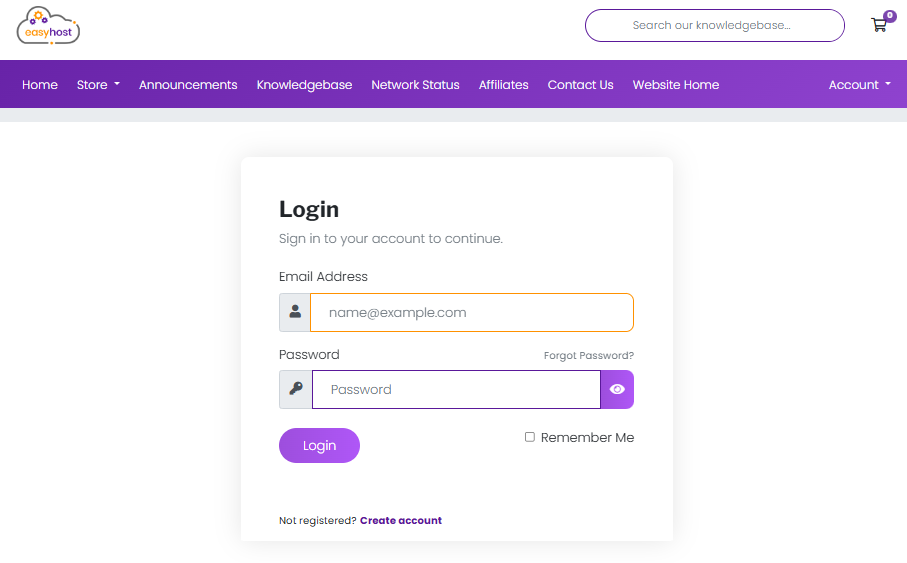
- Select your hosting service and click on “Login to cPanel”.
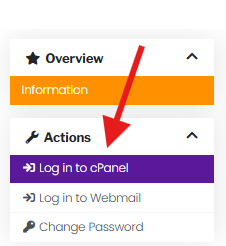
- In cPanel, scroll down to Domains and click on Zone Editor.
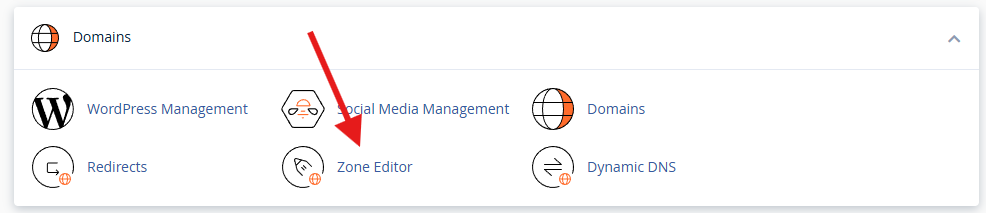
- Find your domain and click Manage.
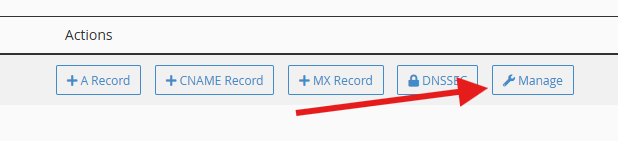
- Delete any existing MX records so they don’t conflict.

- Add the correct MX records depending on your provider:
Add a New MX record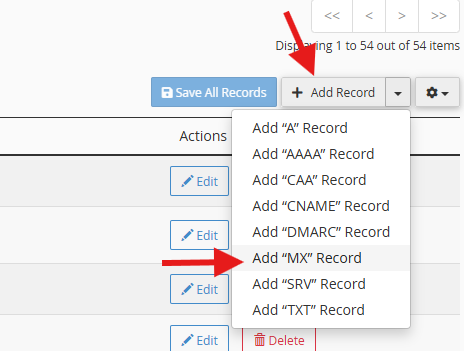

- Google Workspace (Gmail):
- MX:
ASPMX.L.GOOGLE.COMPriority: 1 - MX:
ALT1.ASPMX.L.GOOGLE.COMPriority: 5 - MX:
ALT2.ASPMX.L.GOOGLE.COMPriority: 5 - MX:
ALT3.ASPMX.L.GOOGLE.COMPriority: 10 - MX:
ALT4.ASPMX.L.GOOGLE.COMPriority: 10
- MX:
- Microsoft 365 (Outlook):
- MX:
yourdomain-com.mail.protection.outlook.comPriority: 0 - (Replace
yourdomain-comwith your actual domain name, using a dash instead of a dot)
- MX:
- Google Workspace (Gmail):
- Save your record.
- If you are changing from EasyHost serveices to an external service, you will need to update your Email Routing:
Under Emails, selecte Email Routing: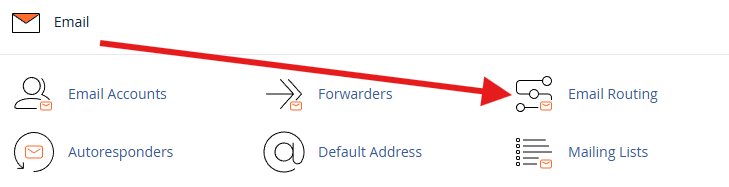
Select Remote Mail Exchanger, to ensure that your mails do not get processed internally.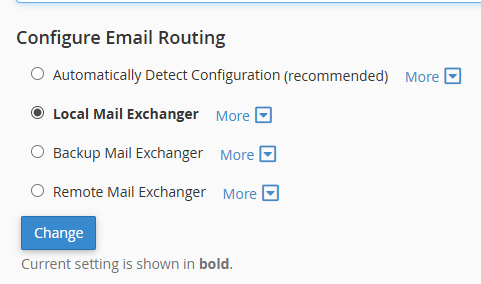
What Are MX Records?
MX (Mail Exchange) records tell the internet where to deliver emails for your domain. By pointing your MX records to Google or Microsoft, you’re directing all incoming mail to those servers instead of EasyHost’s mail servers.
Important Notes
- MX records can take up to 24 hours to update (propagation time).
- Make sure you only have the MX records from your chosen provider to avoid delivery issues.
- If you’re not sure, always check the official instructions from Google Workspace or Microsoft 365.
Common Issues & Fixes
- Emails still go to old inbox: This usually happens if old MX records weren’t removed. Check and delete any leftovers
- Delivery delays: DNS changes can take up to 24 hours to propagate worldwide. Give it some time before testing again.
- Typos in MX records: Even a small spelling mistake (like
.google.comvs.gogle.com) will break mail delivery. Double-check your entries. - Mixed MX records: If you have both Gmail and Outlook MX records, emails may go to the wrong service. Only keep the records for one provider.
Tips
- Use Google Admin Toolbox CheckMX to confirm your MX records for Gmail.
- Use MXToolbox to test and verify MX records for any provider.
- Send a test email to make sure delivery is working after propagation completes.
Need Help?
If you’d like EasyHost to assist with pointing your domain’s email, please open a support ticket and our team will guide you.
